Free to make · free to share
Digital save the dates, sent in minutes.
Design a free online save the date, then share your link on WhatsApp, by text or on social media as many times as you like. Guests add your date to their calendar in one tap.
One link, shared anywhere
A save the date your guests won’t lose.
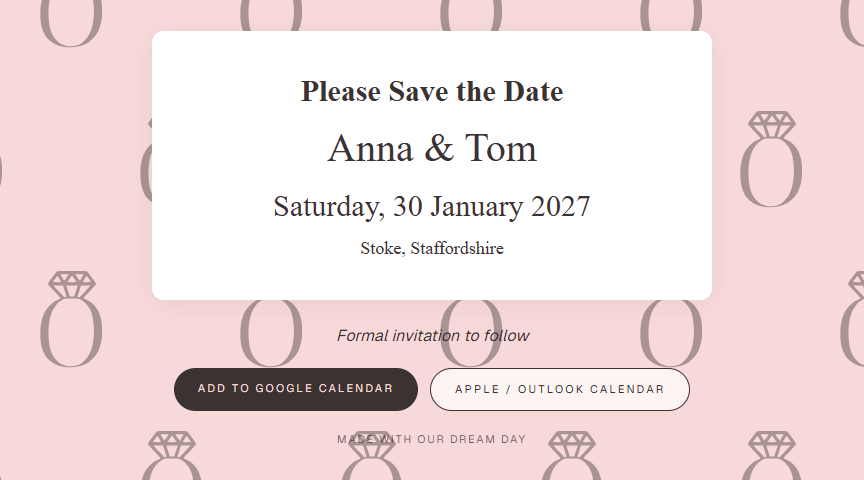
Every save the date gets its own page and link, free on every plan. Guests open it on any phone or computer and add your date to Google, Apple or Outlook calendar in one tap.
- ◇ Paste it into WhatsApp, a text or Instagram
- ◇ Share it with as many people as you like
- ◇ Guests don't need an app or an account
- ◇ Your link always shows your latest design
Digital vs paper
Why couples choose electronic save the dates.
Free to share
Every save the date gets its own link at no cost, with no limit on how many guests you send it to.
Straight into calendars
Buttons for Google, Apple and Outlook calendars put your date in guests' diaries months before the invitation.
No printing or postage
No cards, stamps or envelopes, and no chasing postal addresses. A phone number or email is enough.
Edit any time
Change a detail or fix a typo and everyone who opens your link sees the update. No reprints.
Three simple steps
Your online save the date, sorted.
Step 1
Design
Pick a save the date template and make the colours yours. Your names and date fill in automatically.
Step 2
Add guests
Add the people you'll be inviting. The same guest list carries straight into your invites later.
Step 3
Share
Copy your link into WhatsApp, a group chat or social media, or email it from Our Dream Day.
From save the date to RSVP
One guest list, start to finish.
The guests you add for your save the dates are the same guests you’ll send your digital wedding invites to, and who’ll RSVP and choose their meals on your wedding RSVP website. No spreadsheets to copy between tools.
Common questions
Digital save the dates: your questions
Are your digital save the dates really free?
Yes. Designing your save the date and sharing its link is free, with no limit on how many people you share it with. The free plan also lets you add 2 invites (up to 5 guests) and email your save the date to them. Paid plans let you add and email your whole guest list, and add wedding invitations, RSVPs and menus.
How do I send a digital save the date for free?
Sign up for a free account, pick a save the date template and add your wedding date. You'll get a link you can copy into WhatsApp, a text message or social media and share as many times as you like.
Do guests need an app or an account to see our save the date?
No. Your save the date opens in any web browser on a phone or computer, and guests can add your date to Google, Apple or Outlook calendar from there.
When should we send our save the dates?
Most couples send save the dates six to twelve months before the wedding, or earlier for a destination wedding or a date over a bank holiday.
Is it OK to send a save the date by email?
Yes. An online save the date is now completely normal, and it's easier for guests: they can add the date to their calendar straight from the email.
Do guests need to reply to a save the date?
No. A save the date just asks guests to keep the day free. They'll RSVP when your formal invitation arrives.
Can we share our save the date on WhatsApp?
Yes. Every save the date has its own link that you can paste into WhatsApp, a group chat or social media. The link shows a preview in the chat, and sharing it is free with no limit on guests.
Can we change our save the date after sharing it?
Yes. Your link always shows your latest design, so any changes you make appear for everyone who opens it.
What's the difference between a save the date and a wedding invitation?
A save the date tells guests your wedding date early so they can keep the day free. The invitation follows later with the full details, the RSVP and meal choices. With Our Dream Day you can send both to the same guest list.
More questions? See our full FAQ.
When you’re ready for invites